The Business Wall
The Business Wall is an organisation’s official showcase on Aipress24 (news outlet, press agency, PR agency, company, institution, academic body…). It “makes an organisation official” on the platform and unlocks its professional features.
An organisation has only one active Business Wall. All information entered is verified by the Aipress24 team.
What a Business Wall provides
- A public page: logo, banner, gallery, description, editorial positioning, contact details, sectors.
- Newsroom access (media / agencies): topic pitches and orders, enquiry notices, proofs of publication.
- Content monetisation: consultations, gifted consultations, proofs, reproduction-rights transfers.
- Representation by third parties: authorising PR agencies or consultants to act as press contacts and publish on your behalf.
- Multi-space publishing: press releases, events, assignments, projects and offers (jobs, internships, apprenticeships, doctoral contracts).
Business Wall types
A Business Wall’s type depends on the nature of the organisation. Some are free, others paid (priced by headcount or number of clients).
| Type | For whom | Price |
|---|---|---|
| Business Wall for Media | Recognised news outlets | Free |
| Business Wall for News Agency | CPPAP-approved press agencies | Free |
| Business Wall for Academics | Research and higher education | Free |
| Business Wall for PR | PR agencies / consultants | Paid (by number of clients) |
| Business Wall for Leaders & Experts | Companies, experts, executives | Paid (by headcount) |
| Business Wall for Transformers | Innovation players | Paid (by headcount) |
The most suitable type is suggested based on your profile, but remains changeable.
The activation path
Activation follows four milestones: Confirmation → Choose the type → Pricing → Payment.
- Subscription confirmation — the platform suggests a subscription; you confirm it or choose another.
- Nominate contacts — designate the Business Wall Owner (the decision-making executive, responsible for the subscription) and, if needed, a separate billing contact.
- Pricing and terms — for paid subscriptions, enter the headcount (or number of clients); accept the terms of sale (and, for media, the distribution agreement).
- Payment / activation — immediate activation for free subscriptions; secure online payment for paid ones.
Once activated, you reach the management dashboard. If you manage several Business Walls, a selector lets you switch between them.
Roles
Several roles can be assigned within a Business Wall:
| Role | Description | Management access |
|---|---|---|
| Business Wall Owner | The decision-making executive, responsible for the subscription. | Yes |
| Business Wall Manager (internal) | Administers the Business Wall (content, members, roles, partners, missions). | Yes |
| Business Wall Manager (external) | Delegated manager from a partner PR agency. | Yes |
| PR Manager (internal) | In-house press officer: publishes press releases and events. | No (publishing only) |
| PR Manager (external) | Press officer from a partner agency. | No (publishing only) |
Managing the Business Wall
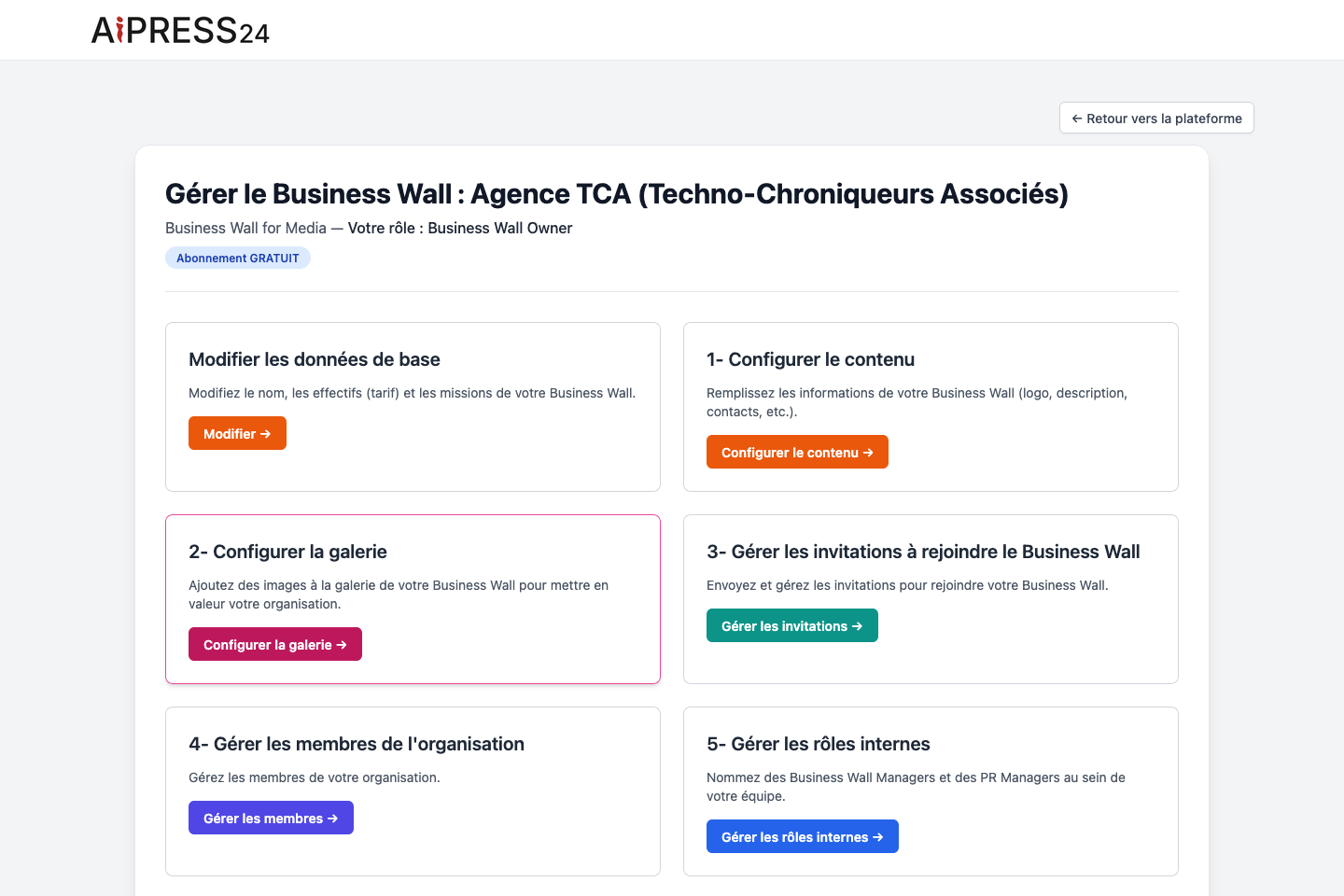
The dashboard (“Gérer le Business Wall”) groups the management functions, reserved for managers:
- Edit basic data — name, headcount (which sets the pricing tier), missions.
- Configure content — logo, banner, description, positioning, company registration number (required), VAT, sectors, address, website…
- Configure the gallery — images, with caption and copyright, reorderable.
- Manage invitations and members of the organisation.
- Manage internal roles and external partners (see below).
- Assign missions (see below).
- Rights-transfer policy (media — see Monetisation & rights).
- Manage my subscription and Cancel.
Inviting collaborators and partners
- Internal roles: invite members of your organisation as managers or press officers by entering their emails. An internal role can only be given to a member of the organisation; the invitee receives a notification and an email, and confirms the invitation from Preferences › “Invitation d’organisation”.
- External partners: invite a PR agency (or consultant) to represent your organisation. The agency accepts the partnership and assigns its own staff, who can then publish on your behalf.
Assigning missions
Missions define what your press officers (internal and external) are allowed to publish on behalf of the organisation: press releases, events, assignments, projects, internship / apprenticeship / doctoral-contract offers. Permissions apply to all your PR Managers and are synchronised immediately.
Subscription and billing
The prices of paid subscriptions depend on your headcount (or your number of clients for PR agencies) and are recalculated automatically as these change. Billing, changing the payment method, and cancelling a paid subscription are handled through the secure payment portal, reachable from “Gérer mon abonnement” (Manage my subscription).
In the event of a failed payment, the subscription is put on hold for a short grace period (the time for retries); beyond that, the Business Wall is suspended until the situation is resolved.