The Events portal
Events (Événements) is the news agenda: press conferences, trade shows, symposia, webinars, cultural events, competitions, training courses… The portal is read-only; events are created in the Event’room of the Work portal.
Browsing events
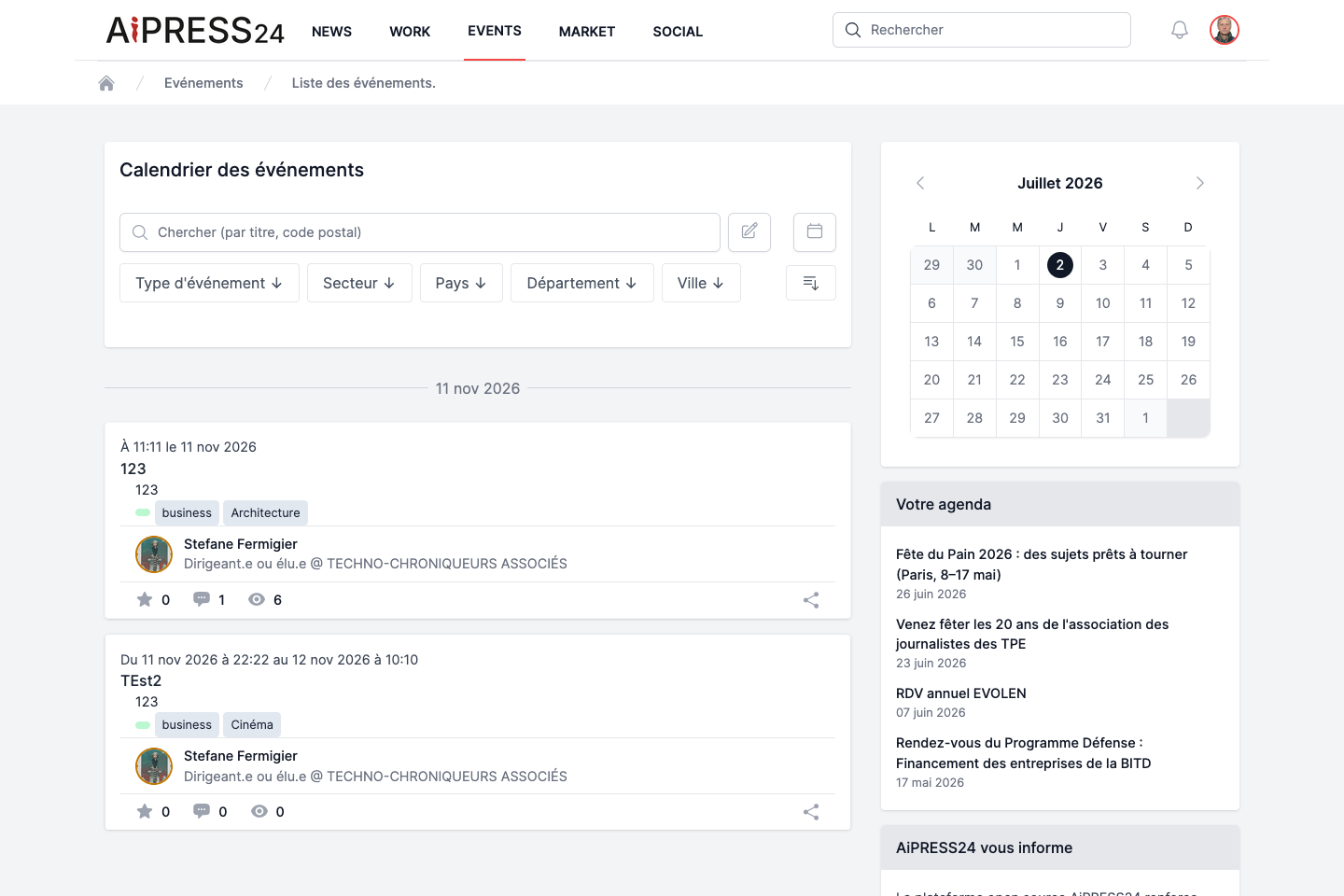
The home page (“Calendrier des événements”) lists, by default, upcoming or ongoing events, grouped by day.
- Search: “Chercher (par titre, code postal)” — search runs as you type.
- Filters: Type d’événement (Event type), Secteur (Sector), Pays, Département, Ville. Filters are combinable and shown as removable chips.
- A button switches to the calendar view (monthly grid).
Each event card shows its opening hours, title, a summary, its type, sector, the announcing organisation, the author, and social counters (like, comments, views).
Side panel
- A mini-calendar for the month: days with events are highlighted and clickable (day filter).
- “Votre agenda” (Your agenda): the list of events you are accredited to, sorted by nearness in time. Until you are accredited to any event, a message tells you so.
An event’s page
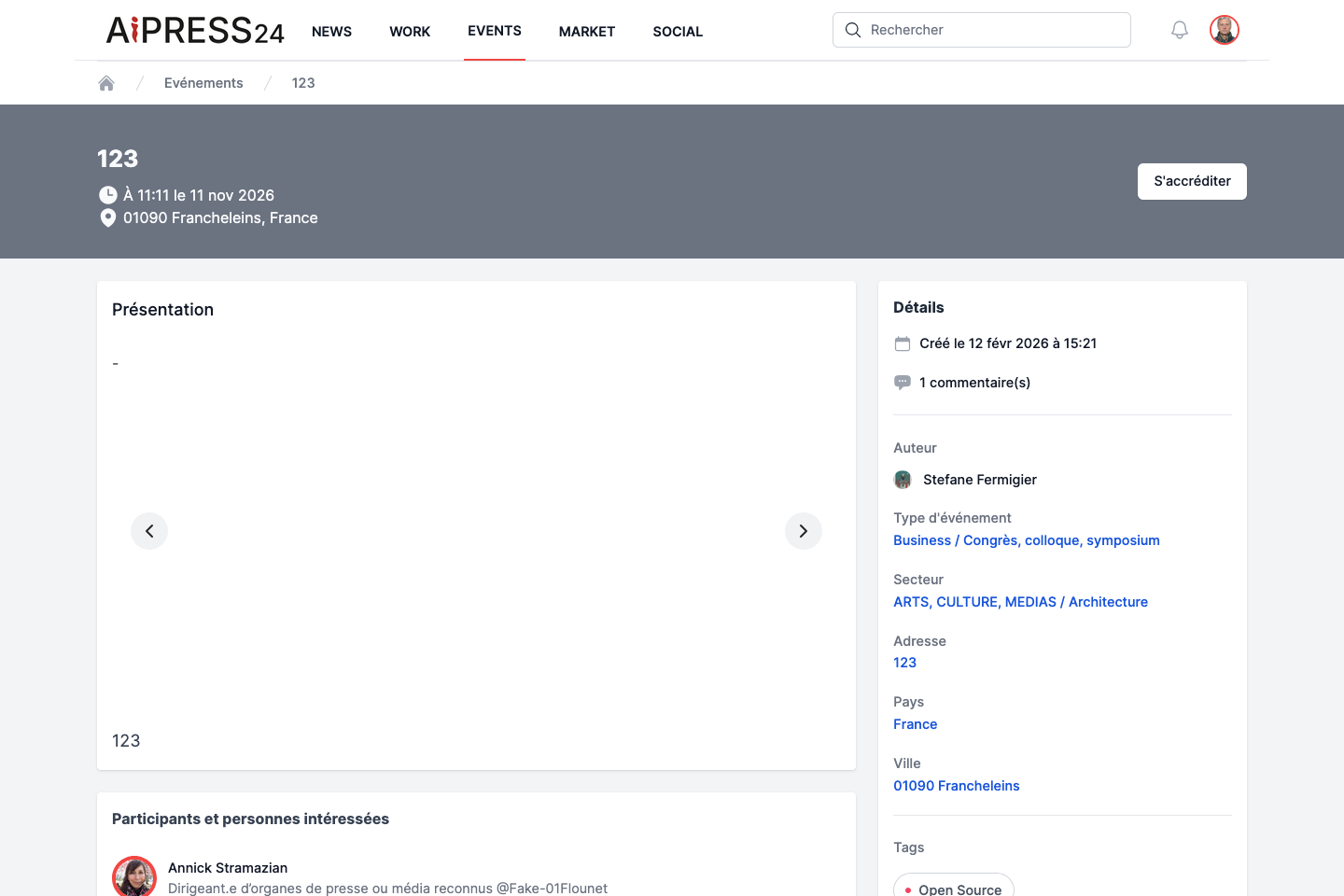
The detail page shows:
- a header: title, opening hours, location, and the accreditation button;
- a “Présentation” section: image carousel and content;
- a “Participants et personnes intéressées” section: the list of accredited attendees;
- a “Commentaires” (Comments) section;
- a “Détails” column: creation date, author, announcing organisation, then the metadata (Event type, Sector, Address, Country, City, Event URL).
Getting accredited
Event accreditation is reserved for journalists.
- If you are a journalist, an “S’accréditer” (Get accredited) button appears; once registered, it becomes “Annuler mon accréditation” (Cancel my accreditation).
- An event you are accredited to appears in Your agenda (the list’s side panel and the mini-calendar).
Creating an event (Event’room)
Events are created in the Event’room (Work portal), available to the Academics, Experts, Journalists, Communicators and Transformers communities (as well as PR managers holding the “Events” mission).
The form includes: title, standfirst, main content, event type, sector, address (in-person/hybrid), country and postcode & city, event URL (online/hybrid), and the start and end dates.
Publishing an event
To be published, an event must have a title, content and, crucially, its start and end dates (the end date cannot precede the start date). Once published, the event automatically appears in the Events portal. Image handling (carousel, captions) is the same as for articles.