The Marketplace portal
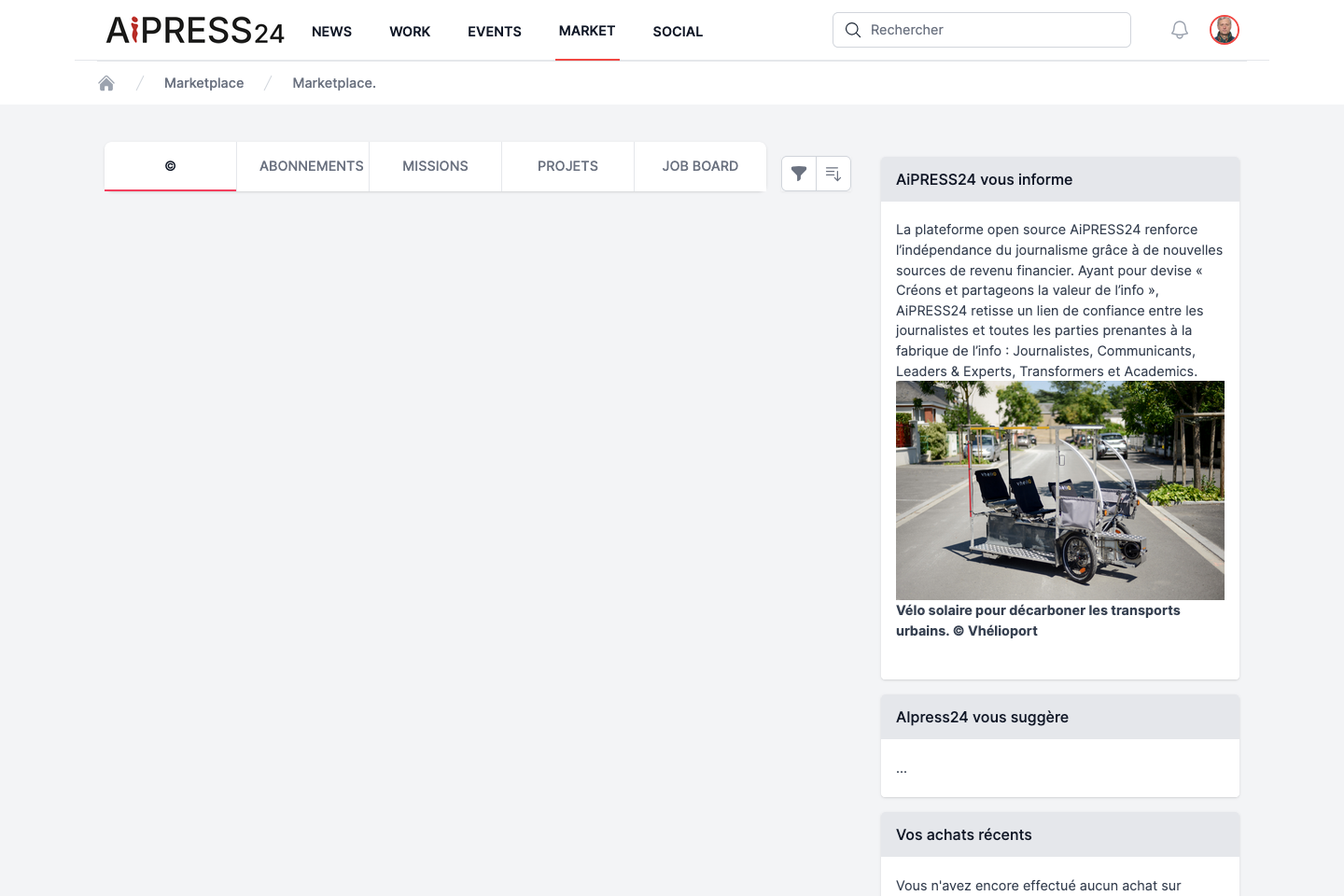
Marketplace is Aipress24’s marketplace. Here you publish and respond to assignments, projects and job offers. The portal also has a Subscriptions tab (which leads to activating a Business Wall) and a © tab dedicated to editorial-rights transfers (see Monetisation & rights).
This page focuses on the three offer boards: Assignments (Missions), Projects (Projets), Job Board. They work the same way: post an offer, browse, apply, then manage applications.
Assignments (Missions)
An assignment is a one-off work proposal (freelance work, copywriting, communication, innovation…).
Posting an assignment
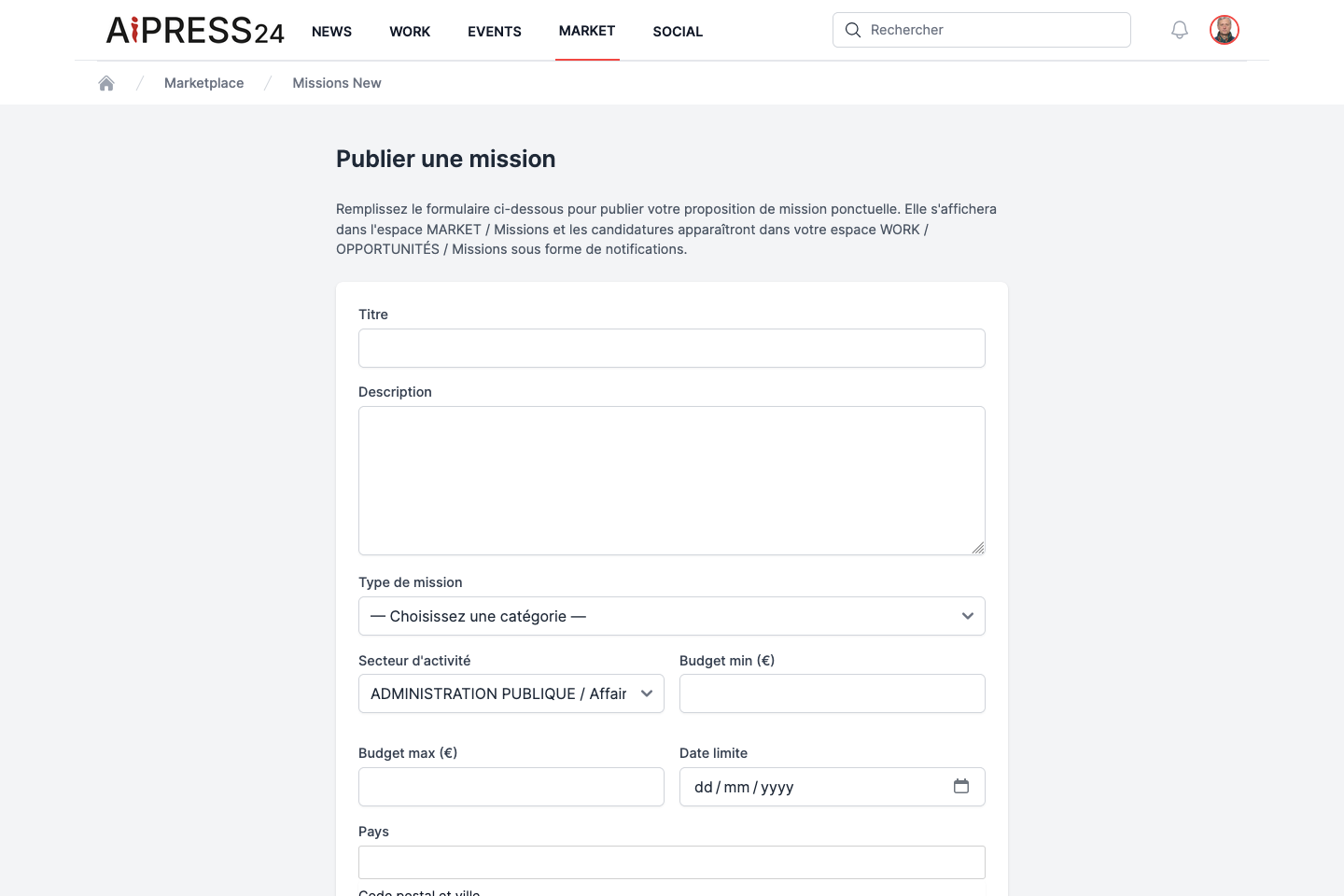
From the Missions tab, click ”+ Publier une mission” (Post an assignment). The form includes:
- Title (required) and Description (required, at least 20 characters) ;
- Assignment type (required): Journalism, Communication or Innovation ;
- Sub-type (depends on the category) ;
- Sector of activity ;
- Min / max budget, Deadline ;
- Country and postcode & city.
For a Journalism assignment, an extra block (“Fiche descriptive”) specifies the profile sought: journalism occupations, press & media types, journalism skills, languages, content types and size, remuneration modes, and two work-mode options (on-site / remote).
Journalism assignments
Only journalists can post a Journalism assignment, and such assignments are only visible to journalists.
Once published, the assignment appears in Marketplace; applications reach you by notification and email, and are found in Work › Opportunities › Missions.
Applying
On an open assignment’s page (if you are not its author), write your application message and click “Candidater” (Apply). You can only apply once per offer, and not to your own offer. The poster is notified.
Managing applications received
As the poster, the “Voir les candidatures reçues” (View applications received) button opens the list of applicants (profile, message, status). For each pending application, you can add a message for the applicant, then Accept or Reject; the applicant is notified of your decision.
The “Marquer comme pourvue” (Mark as filled) button closes the assignment to new applications.
Projects
A project is a larger editorial or collaborative undertaking (team, duration). Posting and management are the same as assignments, with a few specific fields:
- Project type and Sub-type (Journalism, Communication, Innovation) ;
- Team size sought, Duration (months) ;
- Budget, Deadline, location.
A project is applied to and managed like an assignment (application with a message, accept/reject, Mark as filled).
Job Board
The Job Board publishes job, internship, work-study, freelance and doctoral-contract offers.
Posting a job offer
The form includes: Job title (required), Description (required), Sector of activity, Contract type (permanent, fixed-term, internship, apprenticeship, freelance, doctoral contract), Full-time, Remote possible, Min / max salary (gross/year), Start date, and the location.
Applying to a job offer
The application includes a message (required) and a link to your CV (optional). On the poster’s side, the CV is accessible via a “Voir le CV” (View CV) link.
Statuses and tracking
All offers follow the same cycle: Open (accepts applications) → Filled (via “Mark as filled”) → Closed (an offer whose deadline has passed is automatically closed).
An application moves through the statuses: Pending → Accepted / Rejected.
You track all of your applications — sent and received — in Work › Opportunities, under the Missions, Projets and Emplois tabs.
Subscriptions and rights transfers
- The Subscriptions tab corresponds to activating a Business Wall: see Business Wall.
- The © tab concerns rights transfers of editorial content: see Monetisation & rights.