Your profile
Your profile is your professional identity card on Aipress24. Its qualification (role, sectors, skills…) determines your visibility, your presence in the directory, and the relevance of matchmaking (enquiry notices, assignments, projects). A complete, up-to-date profile is therefore a major asset.
Completing and editing your profile
Your profile information is collected during registration (the KYC questionnaire) and can then be edited from Preferences › “Modification du profil” (Edit profile), which re-opens that same questionnaire.
The questionnaire is organised into sections: personal information, description of your organisation, matchmaking factors (roles, interests), hobbies and networking, and Business Wall.
Changes subject to re-validation
Most changes are applied immediately. However, editing certain sensitive fields (surname, first name, title, main occupation) triggers a re-validation of your account by the team: your profile is temporarily put back on hold while it is reviewed.
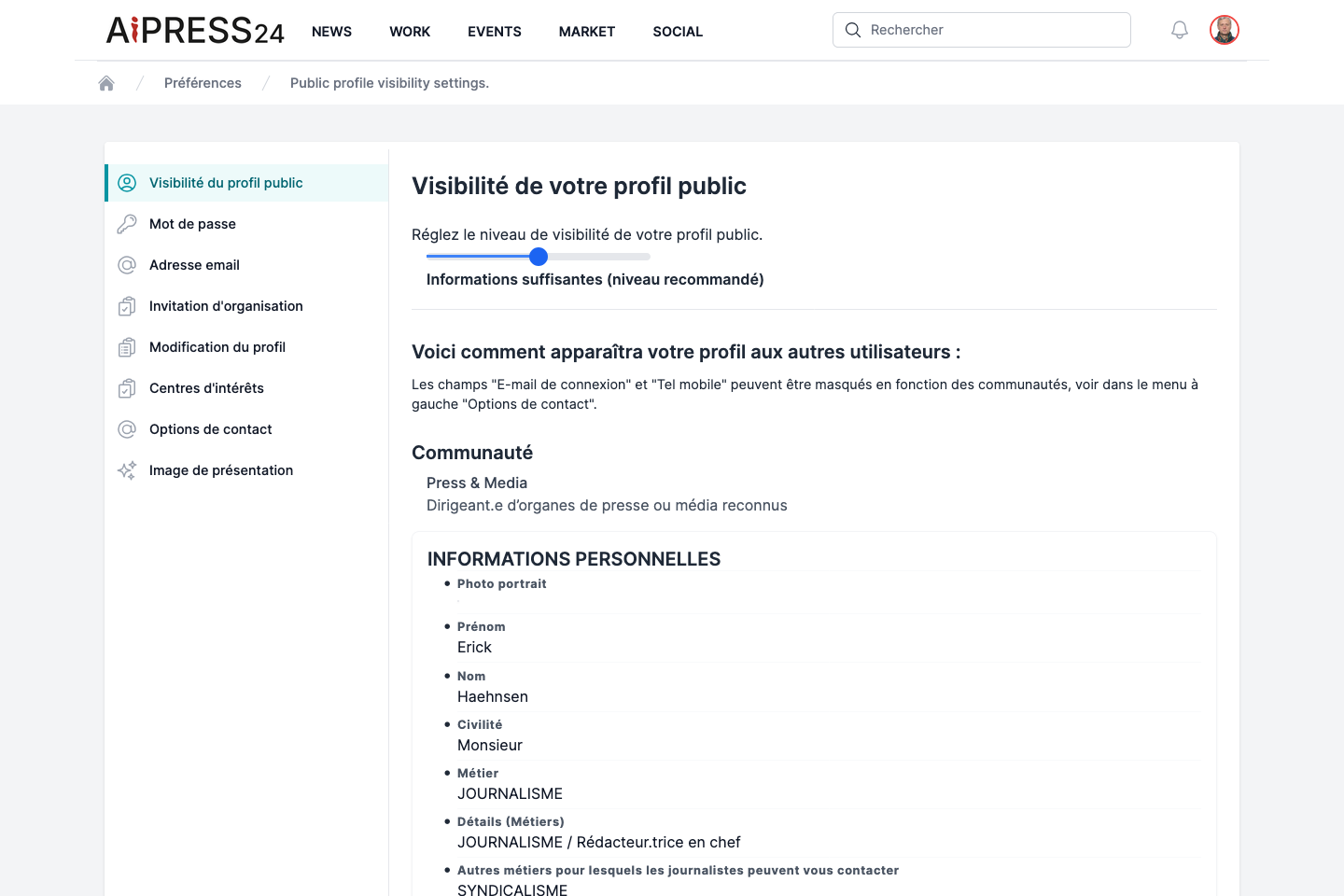
Visibility level
From Preferences › “Visibilité du profil public” (Public profile visibility), set how much detail other members can see:
- Minimal information ;
- Sufficient information (recommended level) ;
- Detailed information.
A live preview shows you what other members will see.
Contact options
Some sensitive contact details — login email, mobile phone and press-relations email — can be selectively hidden.
From Preferences › “Options de contact” (“Who do you allow to see your contact details?”), you choose, for each of these three fields and for each community (journalists, communicators, experts…), who is allowed to see it. A member whose community is not authorised will see the value masked.
Karma and reputation
Your name may be accompanied by a karma medal (gold, silver, bronze) reflecting your reputation on the platform. You can track your reputation-performance index in Work › Performance.
Cover image and interests
- Preferences › “Image de présentation” — upload your profile cover banner (4:1 ratio), with a copyright notice.
- Preferences › “Centres d’intérêts” — enter your interests and hobbies (may be made public).
Password and email address
- Preferences › “Mot de passe” — change your password.
- Preferences › “Adresse email” — change your login email; a confirmation email is sent to the new address to validate the change.